Full, Minimal or Hidden
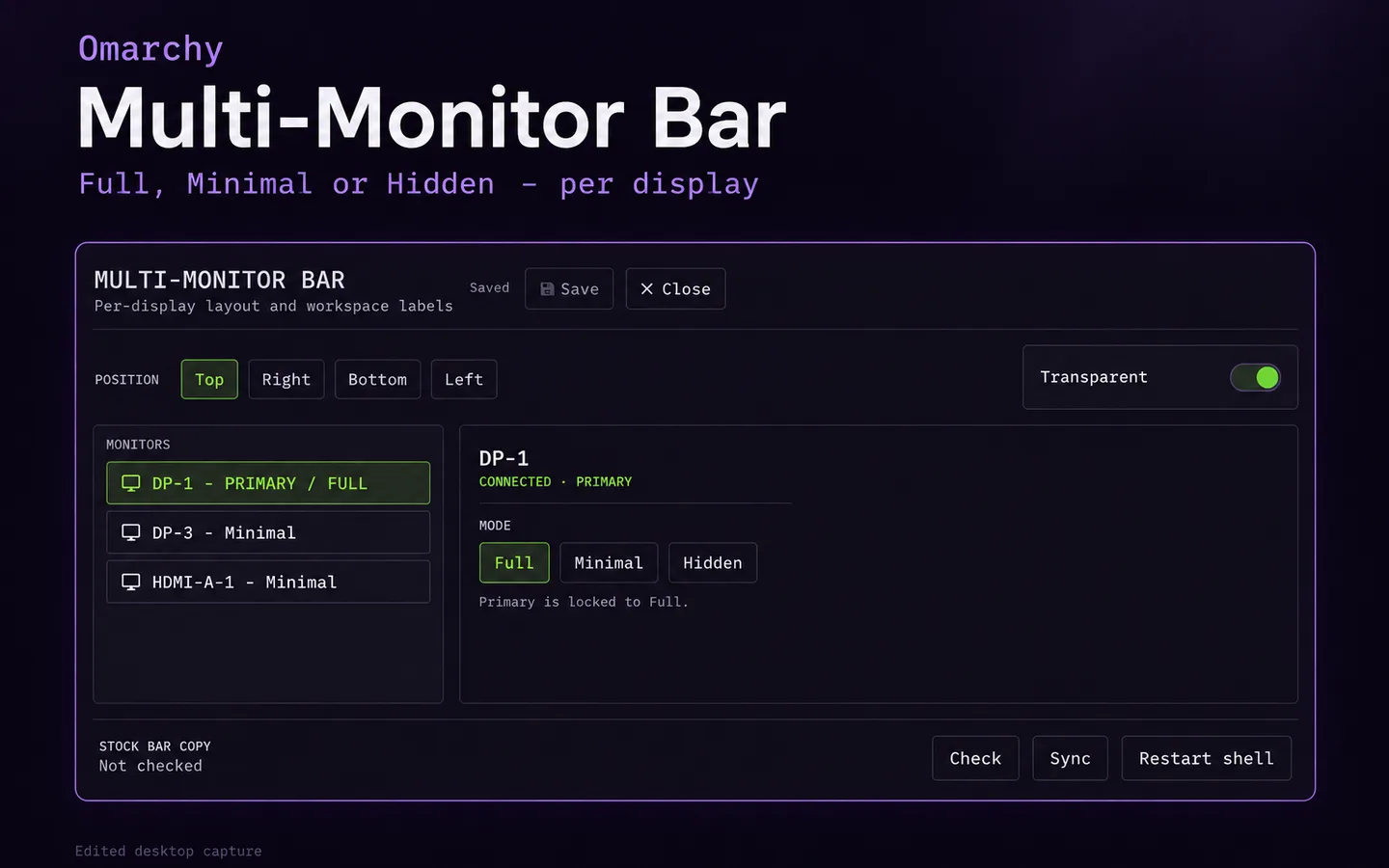
Choose a mode per monitor. The primary monitor stays on Full. Minimal bars show a glyph and the workspace list.
Omarchy plugin

Full, Minimal or Hidden per monitor, with the primary locked to Full. Minimal bars show a glyph and the workspace list. The settings panel validates changes and checks the stock Omarchy bar files the plugin is pinned to. Ten languages.
For Omarchy desktops with more than one monitor.
WHAT YOU CAN DO
Choose a mode per monitor. The primary monitor stays on Full. Minimal bars show a glyph and the workspace list.
Changes are validated and conflicts handled. Check and Sync compare the plugin against the stock bar files it is pinned to.
The panel and labels are localized.
GETTING IT
omarchy plugin add https://github.com/PatrickFanella/omarchy-monitor-bar.git --enable --yes
The plugin is pinned to the exact stock bar files of one Omarchy release. Other versions are unsupported until the pin moves.
A FEW DETAILS
No. It does not request elevated privileges, use a network service or collect telemetry.
Not yet. Some optional shell.json keys still need a text editor.
MADE IN THE OPEN
Patreon pays for the hours and the hosting. Paid members get private channels in our Discord and supporter posts, which show up when we have something to share. The monthly newsletter is free.
Omarchy Multi-Monitor Bar / BY SUBCULT